Best fit now
Print and collect maths resources
Needed tomorrow and fits this block.
TEACHER SORTED FOR PRIMARY
Parent-app messages, phone calls, marking, trips and tomorrow’s preparation all land while you’re teaching. Add each job as it comes up, rather than leaving it on another Post-it.
Choose the jobs that matter today, then see where they fit around PPA and the other time you’ve set aside. If a meeting or parent call changes the day, adjust the plan without starting all over again.
Keep your teaching timetable alongside Today and Week if you like. When you finish for the day, tomorrow’s jobs and where to start are still there.
Card required. £0 today. Cancel before the first charge.
A Primary week
Monday
Quick tasks after school
20 minsTuesday
PPA
2h 30mWednesday
Staff meeting · no work time planned
—Thursday
Before school
30 minsAssess English books
45m · due Friday
Friday parent update
Routine · about 10m
THE WORK AROUND TEACHING
Teacher work comes in different shapes. Some jobs need a proper PPA block; others can move forward in twenty minutes. Teacher Sorted helps you put those jobs against the time you’ve chosen to use instead of treating every gap as interchangeable.
PREPARATION
“Get tomorrow’s maths lesson ready” can mean adapting something, printing it, collecting it, collating it and setting it out.
Primary users can keep that as one Preparation item in Work, move it through the stages and let the next useful action take part in planning. You don’t need a separate task for every worksheet and set of counters.
Preparation
Next action
Collect the printed resources
Needed Thursday · Classroom / resources
Teacher Sorted plans with the next step, not every later stage at once.
Fit Finder
Best fit now
Print and collect maths resources
Needed tomorrow and fits this block.
Keep for PPA
Plan next week’s maths
This needs a longer, uninterrupted block.
SHORT GAPS
That may be enough time to print and collect resources, deal with a short admin job or make progress on assessment.
It may not be the right time to start next week’s planning. Teacher Sorted can keep that for the longer PPA block.
You can ignore the suggestion and choose something else. Teacher Sorted helps you decide; it doesn’t take the decision away.
THE LITTLE DETAILS THAT HELP
Bring together the jobs you need to remember, the time you’ve set aside for them and the routines that come back every week.
Use Tell Teacher Sorted and type it as you would explain it to another teacher. It picks out the job, date and rough time, then lets you check what it understood.
In Teacher Sorted: Get it out of your head
Forward a work email, or send a new message to your private Teacher Sorted address. The clearest action becomes work without you retyping it.
In Teacher Sorted: Email Teacher Sorted
Use your PPA, frees and whatever before- or after-school time you choose. Teacher Sorted plans with that time, not an imaginary empty day.
In Teacher Sorted: Plan around the time you really have
See what you have planned, what still needs a home and where the week is running out of room. On desktop, zoom in or out and rearrange it.
In Teacher Sorted: See where the week is getting tight
Weekly marking, admin and other regular jobs can return automatically, so you do not have to keep remembering to add them.
In Teacher Sorted: Regular jobs come back on their own
Leave yourself a clear next step, close the laptop and come back knowing where to pick up.
In Teacher Sorted: Stop work without losing the thread
Put planned Teacher Sorted work into Google Calendar, Outlook or Apple Calendar through a private, read-only feed you can turn off.
In Teacher Sorted: See Teacher Sorted in your calendar
Your workspace is private. You decide what moves, what waits and how much of your time is available.
In Teacher Sorted: Your workload stays yours
IN TEACHERS’ OWN WORDS
These guys really understand how a teacher works.
This is how managing my work–life balance should feel.
Seven days. Full product. Card required · £0 today.
ADMIN SORTED · NOW INCLUDED
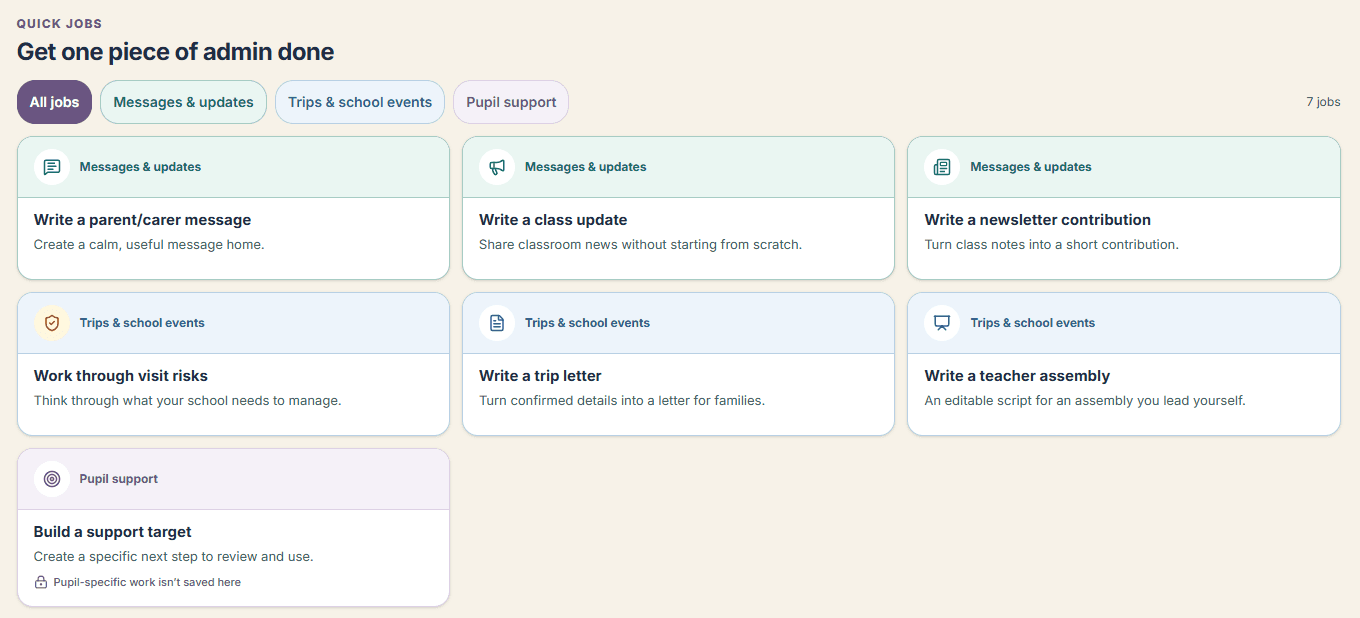
Use Admin Sorted to get the parent message, class update or trip letter started. Add the details, then review and edit the draft before sending it.
Build or upload a teaching timetable, keep a trip or assembly together and add preparation jobs to the workload plan. Less starting from scratch after the children have gone home.
Explore Admin SortedIncluded in your Teacher Sorted trial and membership.